RED OS

An operating system written for disasters.

AXION R1 and AXION S1 run RED OS, our own operating system. The shared operating system of both devices is designed to be used quickly and reliably under stress: large touch targets, high contrast, simple flows.

What is RED OS?

RED OS is the embedded operating system Redbrella developed from the ground up for AXION R1 and AXION S1. Everything on the device, from boot and lock screen to home screen and applications, is designed as one whole. The interface is arranged for each device's screen size and purpose; icons, colors and flows carry the same design identity on both devices.

It is not a general-purpose phone system. It does what emergency operations require and carries nothing else: no accounts, no store, no advertising, no dependence on the cloud. The device boots in seconds, is designed to run for long periods without a restart and keeps all data in its own storage.

Design principles

  • Works with gloves. Large touch targets, few and distinct buttons, the same back and home gestures everywhere.
  • Readable in the dark. High-contrast text and red accents on a black background; brightness and volume adjusted in one gesture.
  • Monitors itself. Storage health is checked continuously and any fault is reported immediately; system logs are kept for diagnostics.
  • Turkish and English on AXION R1. The interface language is chosen in Settings. AXION S1 currently runs a Turkish interface; English images of AXION S1 are interface previews.
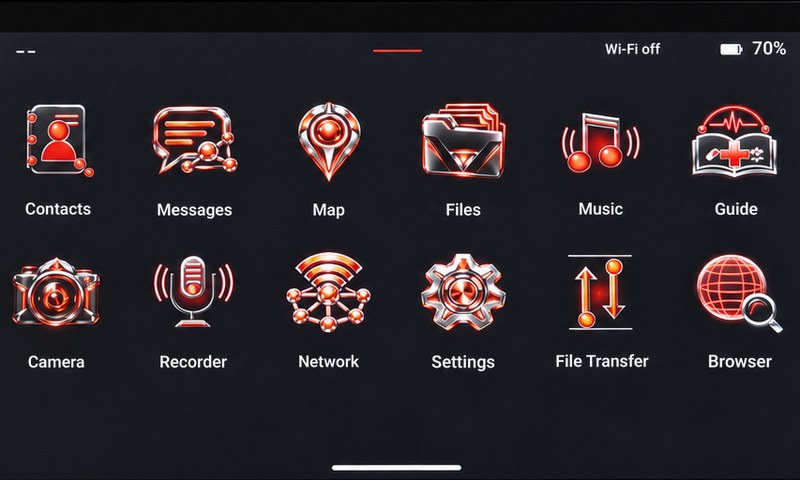
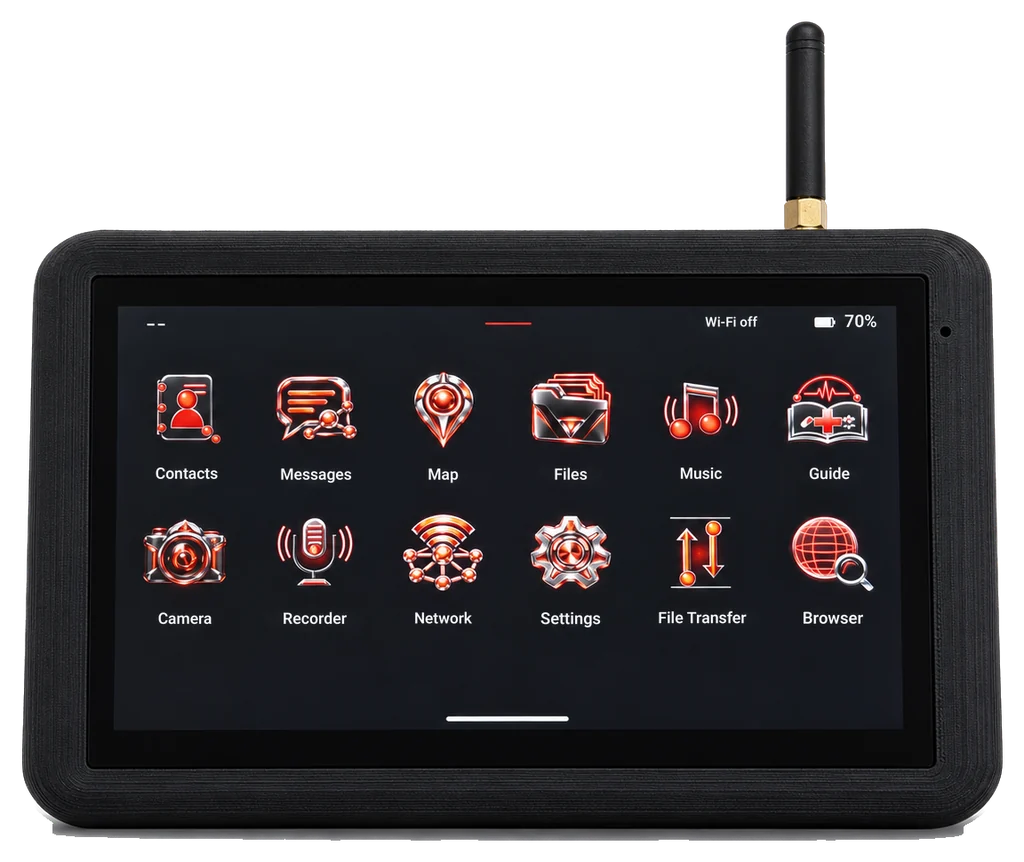
RED OS home screen on the AXION R1 display: twelve application icons
AXION R1 · 7 inch

A wide set of applications on a large screen.

The large screen of AXION R1 makes the map, photos, files and the offline knowledge library comfortable to use. Applications such as Camera, Map, Files, Guide and Browser are specific to AXION R1.

  • Contacts
  • Messages
  • Map
  • Files
  • Music
  • Guide
  • Camera
  • Voice Recorder
  • Network
  • Settings
  • File Transfer
  • Browser
See AXION R1
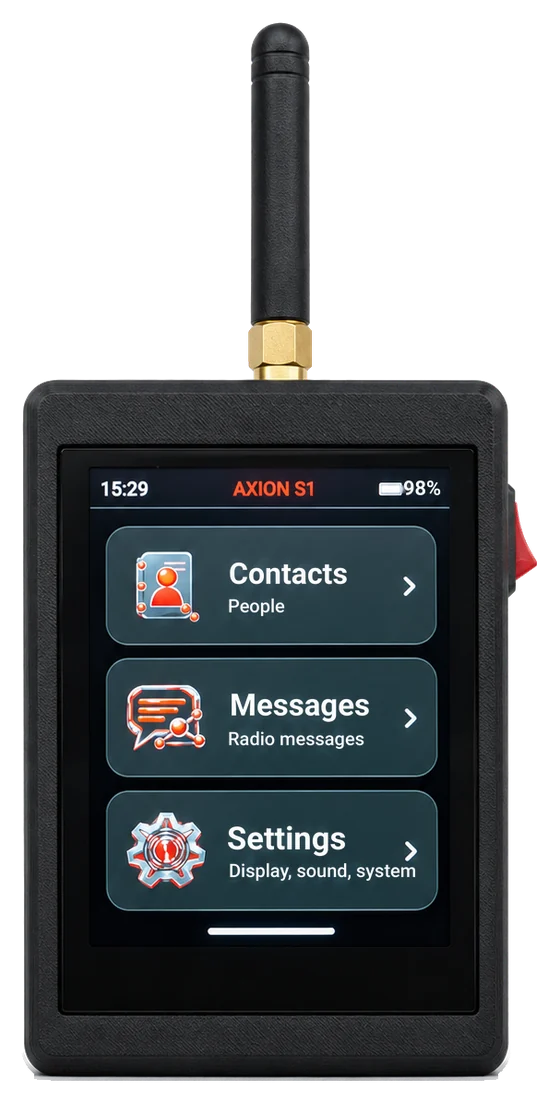
RED OS on the AXION S1 display: Contacts, Messages and Settings stacked vertically
English interface preview
AXION S1 · 2.8 inch

A simple interface on a compact screen.

On AXION S1, RED OS runs with a simple portrait interface: three applications are stacked on the home screen and every function is one touch away. Messaging, voice messages, push-to-talk, location sharing and emergency calls are presented in the same design language. The offline knowledge library lives on the S1's storage and opens on your phone with Red App.

  • Contacts
  • Messages
  • Settings
See AXION S1

AXION R1 applications

Contacts

Team members and your own profile. The organization's device list syncs with one tap; the device identity is shared as a QR code.

Messages

Text, voice notes, photos and location; end-to-end encrypted, with delivery status and read receipts. Organization announcements, templates, in-chat search and a media gallery.

Map

Last known positions of team members and your own; an on-device map that needs no internet. Emergency calls are marked on the map.

Files

Opens photos, documents, text, audio and music on the device. Copy, move, rename, create folders and preview with thumbnails.

Music

Plays common audio formats with cover art and track details. A mini player in the quick panel and playback controls on the lock screen.

Camera

Photo capture and an on-device gallery; photos are shared over the network.

Voice Recorder

Compressed recordings at phone quality: one hour takes about 11 MB. Recordings are listed, played back and shared.

Network

Mesh status and nearby devices; Wi-Fi connection and the device's own access point.

Settings

Setup wizard, display, sound, language, PIN lock, organization details and system status; automatic software updates.

File Transfer

Exchange files with a phone or computer through the browser. Nothing to install; connect over the Wi-Fi network or the device's own access point with a 6-digit code and QR.

Home screen

Home screen

Large touch targets, high contrast. The status bar shows connection, battery and unread messages.

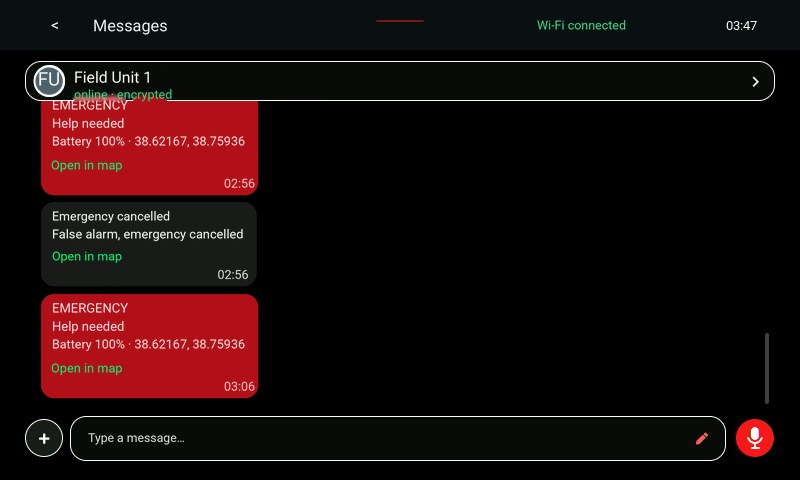
Chat

Chat

End-to-end encrypted conversation. An emergency message arrives with location and battery level and opens on the map with one tap.

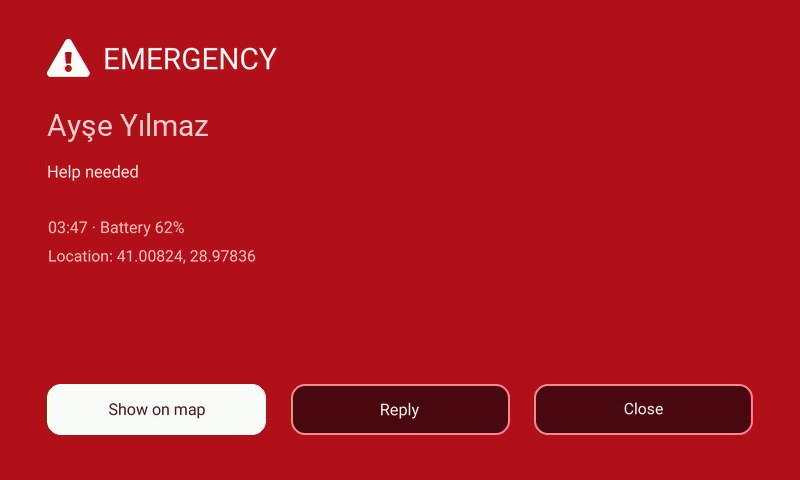
Emergency alert

Emergency alert

Every device that receives the call shows a full-screen alert and sounds a siren; show on map, reply or dismiss.

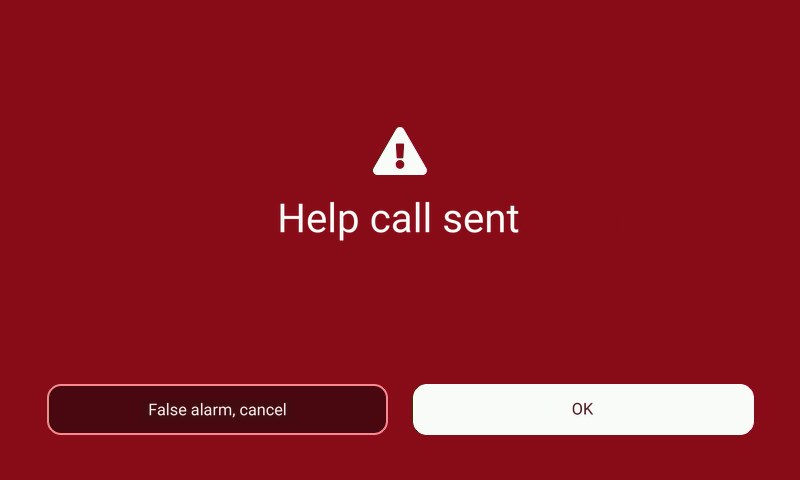
Call sent

Call sent

A single confirmation screen on the sender side. A false alarm is withdrawn with one tap and the team is notified.

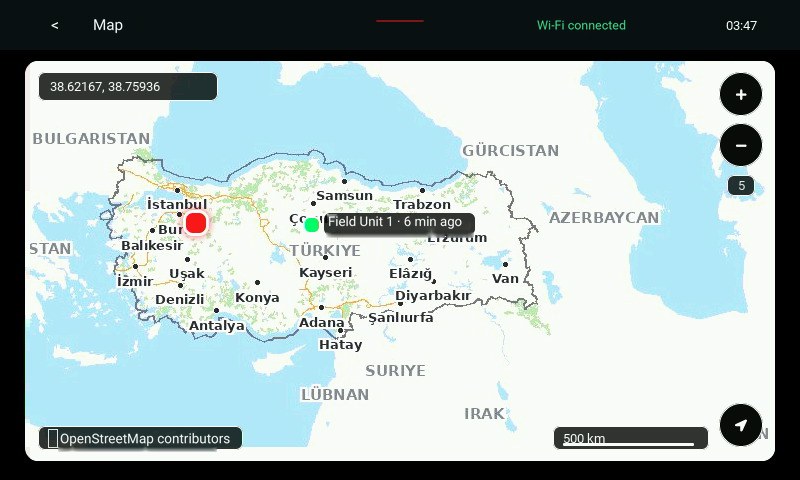
Team map

Team map

Team members on the on-device map; each card shows the name and when they were last seen. Emergency calls are marked on the map.

Quick panel

Quick panel

Wi-Fi, silent, lock, emergency, brightness, volume, mini player and notifications in one gesture.

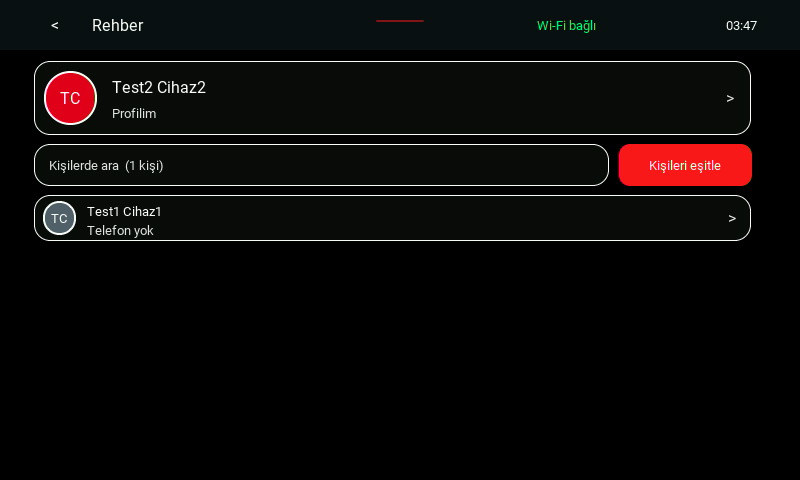
Contacts

Contacts

The organization's devices arrive with one tap on "Sync contacts"; your own profile stays at the top.

File Transfer

File Transfer

Exchange files from a phone or computer through the browser; 6-digit access code and QR.

Settings

Settings

Connections, display, sound, security, date and time, organization, system and language on a single page.

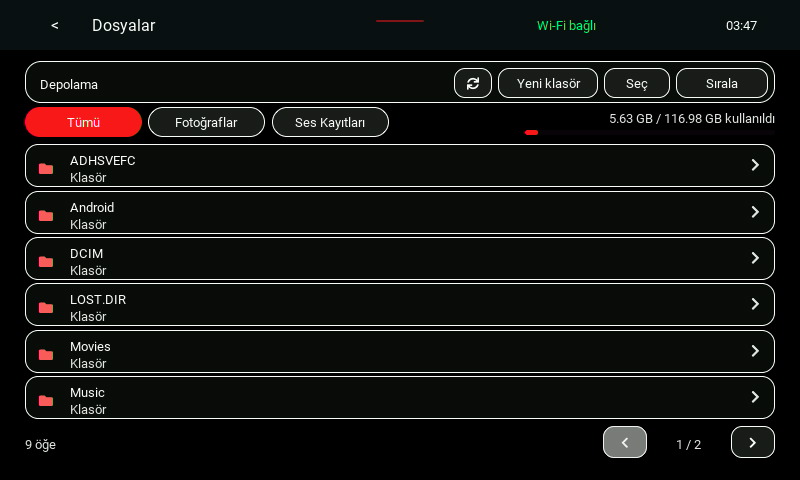
Files

Files

Photos, documents, audio and text files open on the device; folders are organized, storage status is visible.

Music

Music

Track list with cover and duration; mini player in the quick panel, controls on the lock screen.

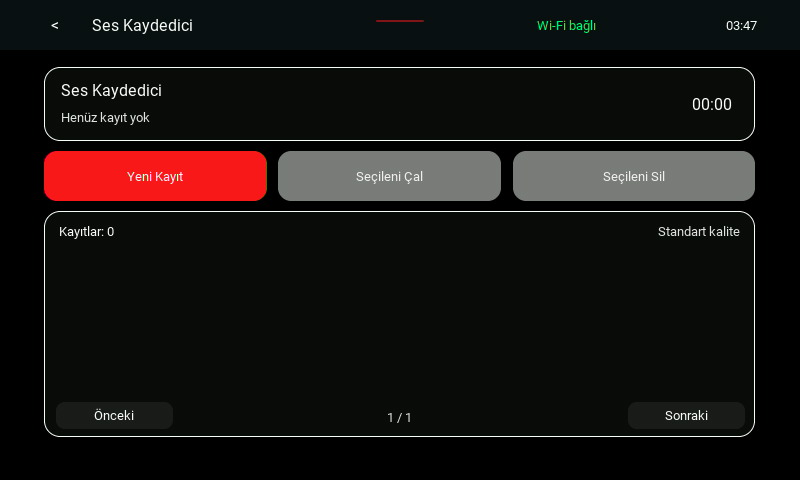
Voice Recorder

Voice Recorder

Compressed recording: one hour takes about 11 MB. Recordings are listed, played back and shared.

Screens were captured from AXION R1. The home screen, chat, emergency, call sent and map screens show the English interface prepared from those captures (interface preview); the other screens show the Turkish interface. Device and person names are sample data.

AXION product family

See RED OS in the field.

RED OS runs on the AXION R1 and AXION S1 off-grid communication and knowledge devices. AXION S1 is available in our Etsy shop; for AXION R1 and bulk orders we prepare quotes.